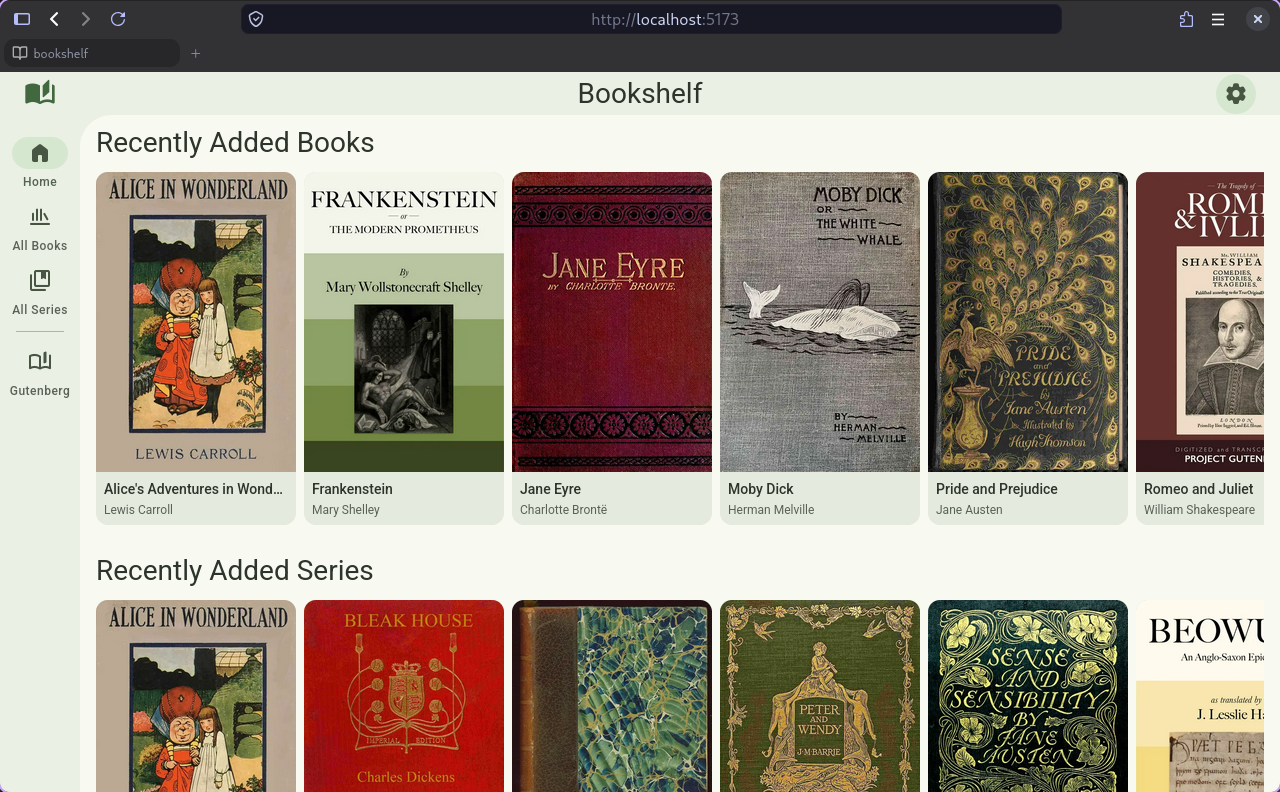
Bookshelf is a focused self hosted e-book manager. It is primarily focused on the server side, providing a well organized e-book database, and exposing those through an Open Publication Distribution System (OPDS) API for third party clients to consume (such as e-readers like Kindle, or mobile or desktop applications).
The server is written in Go with a strictly defined OpenAPI schema making it easy for third party clients to integrate with the server backend. Bookshelf handles detecting new or modified files through file system watching, and automatically reads the metadata from the EPUB, MOBI, or PDF file (or if present a sidecar metadata file). Using that metadata it builds a database of all the books and series.
Bookshelf also includes support for third party metadata providers to supplement the embedded metadata, filling in any missing information such as series, or cover images. Currently it supports Hardcover, Goodreads, and RanobeDB. With a scoring mechanism to score the quality of metadata match with the embedded metadata to ensure that the best metadata is used for each book.
The server also tracks user reading progress, which can be synchronized from all clients to the server so that reading progress is automatically shared across all devices and platforms.
Web Reader
In addition to the main OPDS API, Bookshelf also includes a built in web reader. This allows users to read their books directly in the browser without needing to install any additional applications. The web interface is designed following the Google Material Design system with dynamic theming that applies to both the library browser as well as the reader.
Library Browser
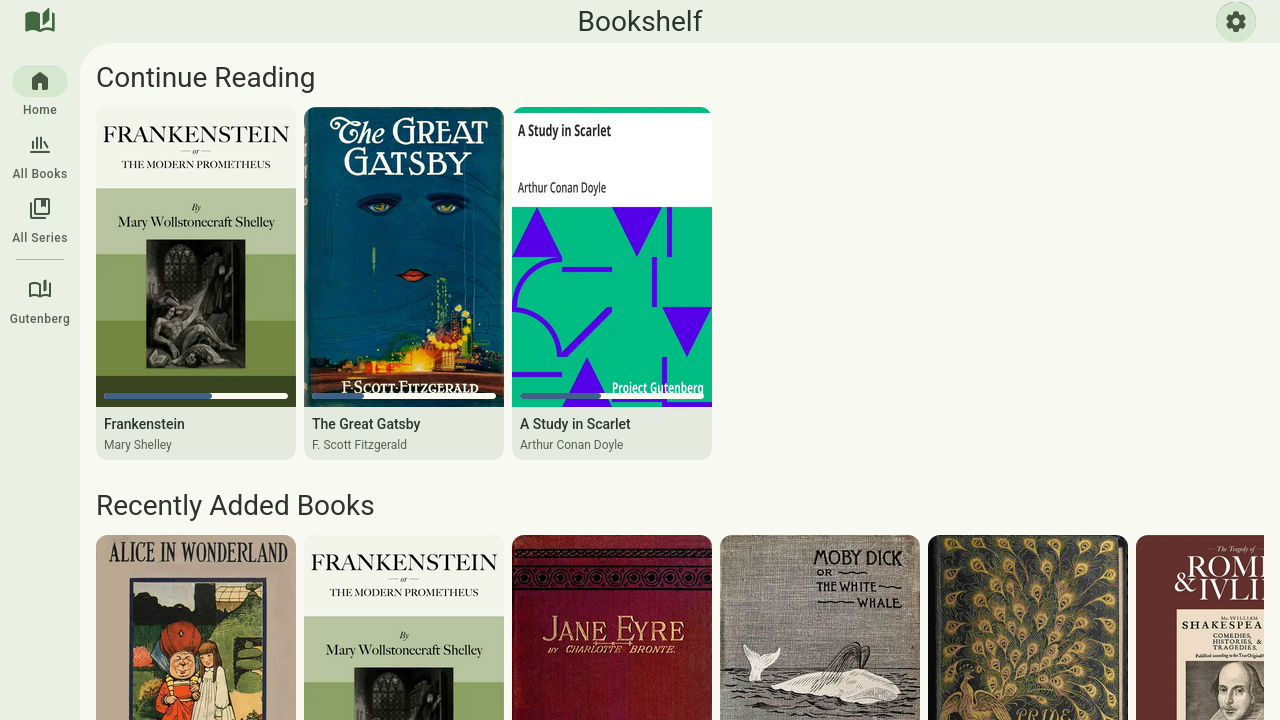
The library browser includes pages for a home dashboard showing in progress books to quickly pick up where you last finished, as well as recently added books and book series to the server. Each in progress or completed book also includes a progress indicator making it easy to see which books have been finished or where you are in the book.
It also includes a page for browsing all books or all books in a specific library. These pages use paginated queries and a virtualized renderer using Tanstack Virtual to improve performance for large libraries by only rendering the books within the viewport, while prefetching data so that it is a smooth scrolling experience with minimal need for buffering.
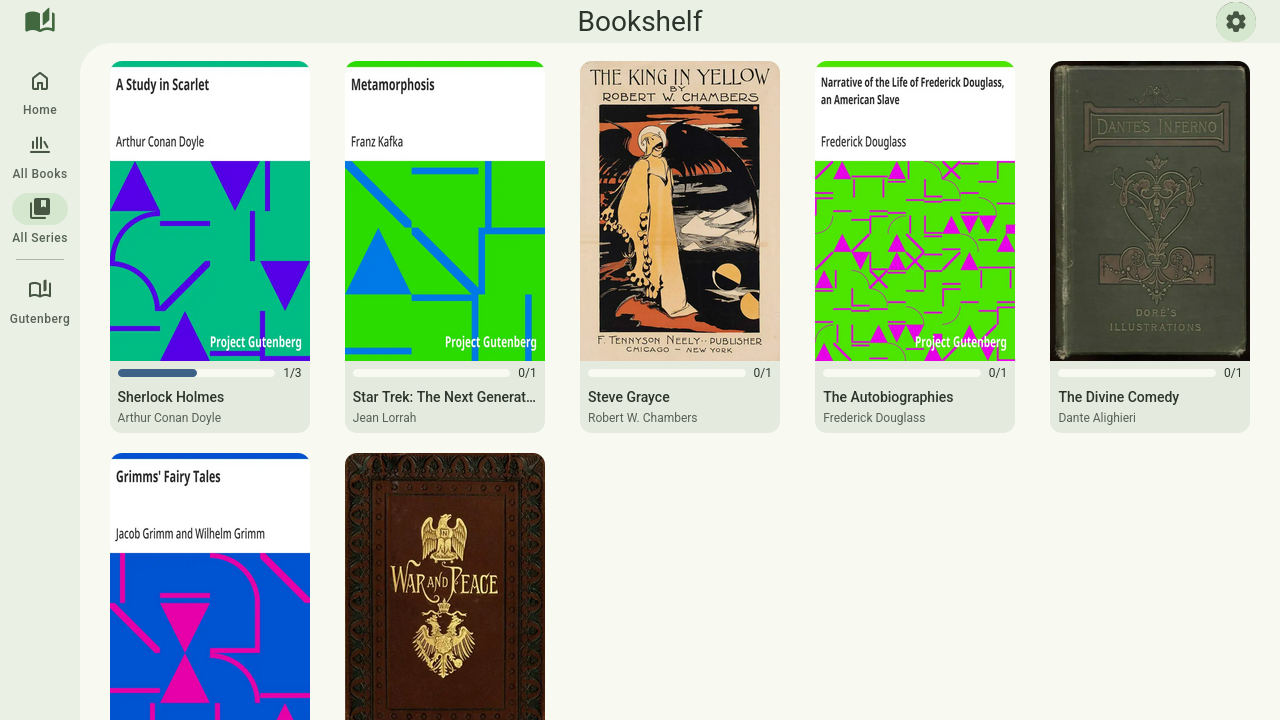
The series view shows a list of all book series in the library, which again includes a progress indicator this time for the overall series, indicating how many books the user has read and how many are in the series as a whole. And clicking on the series will open the reader for the next book in the series for the user to read, making it very easy to quickly jump back into a series that you have started.
Reader
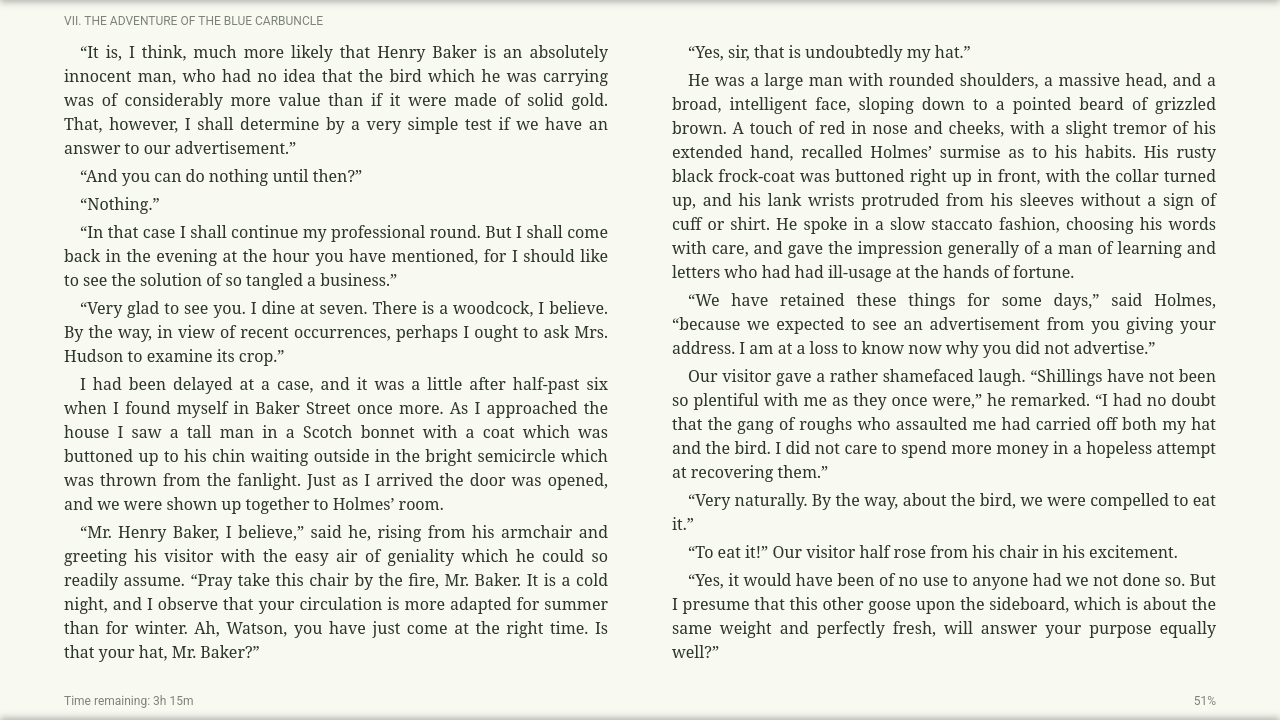
Clicking on any book or series in the library will open the reader for that book, continuing from the last reading position for that user. The reader supports all of file types supported by the server (EPUB, MOBI, PDF). The handling of the rendering of the e-books is provided by foliate-js.
The reader is aimed to be a clean and focused reading experience without getting in the users way, while still providing all of the necessary features for a good reading experience. The base layout includes a chapter indicator and a time remaining for the book. It includes support for advanced formatting options such as customizing the reader theme (separate from the rest of the web interface), adjusting the font family, size, and line spacing. As well as customization of the layout like the number of columns, the gap between columns, the justification of the text, etc.
These settings are all saved client side to remember the users preferences, and allow for detailed customization to allow users to tune the reading experience to be best suited for them.
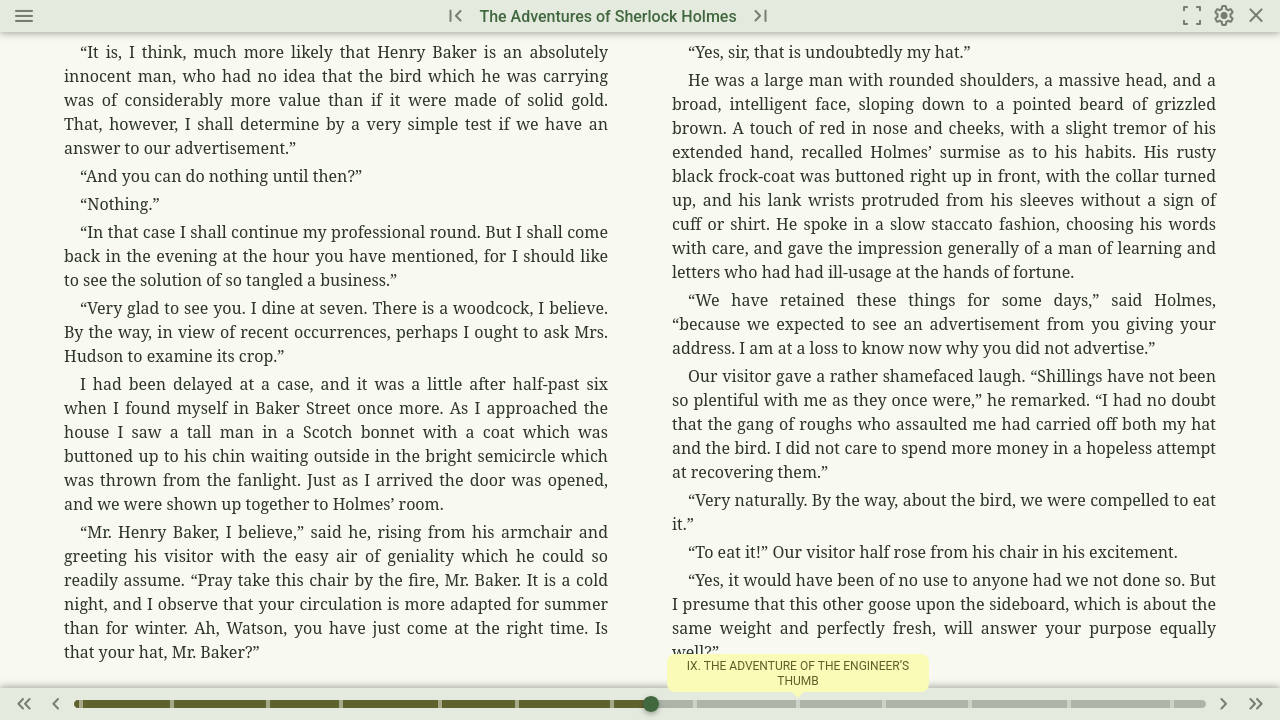
The reader also includes a pop-up header and footer which include quick actions for navigating the series (jumping to the previous or next book in the series), as well as a progress bar for the current book, allowing to jump to specific chapters or sections of the book.